I have now hear about the ability to blog from LIVE writer on the blog engine.net as I’m using, and today I decided to give it a try.
It actually works pretty simple and easy.
- Get LIVE writer from http://windowslivewriter.spaces.live.com/ (I use the beta)
- Install it – Note that it will install a beta version of MSN Messenger, which I couldn’t find a way to avoid.
- LIVE writer will ask for you blog url, username and password.
- LIVE writer den get some information from your blog and after a while, you are ready to start blogging on your blog from a desktop application instead of web.
You may think – “Why should I blog from a desktop application, when I can blog from the web?”. Well, I don’t really need to blog from a desktop application, but I most say it actually seems pretty sweet and easy as I’m sitting here writing this first blog, but back to the question. People that isn’t that much familiar with the web, maybe find it “hard” to blog from the administration via the web and maybe find it easier in a desktop application, as it is more familiar to them.
Let’s try some feature, let’s insert a picture:

It opens up the file browser on my PC here, and not my image folder at my blog. And now that I have inserted the image and selected it, I have some different kinds of possibilities.

Oh my god, this is nice! I just took at screenshot as I’m writing this blog, and just CTRL+V and bang! It’s in the post. That is actually VERY handy :)
Let’s try that again so I can show you what else I can insert:

Wow, I can crop a screenshot too! Sweet. Hmm it’s in Danish, damn, sorry for all the English speaking people out there.
Well, lets’ try inserting a Map:
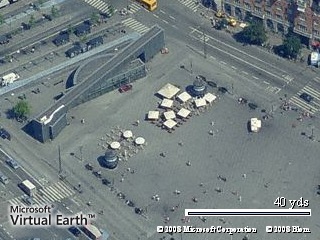
Also seem to work fine.
That most be all for now, it actually seems to be pretty handy anyway, as a desktop application add much more features than the web based administration.
Now let me publish this post and see if all the images etc. get uploaded to the web too.